Video without the baggage
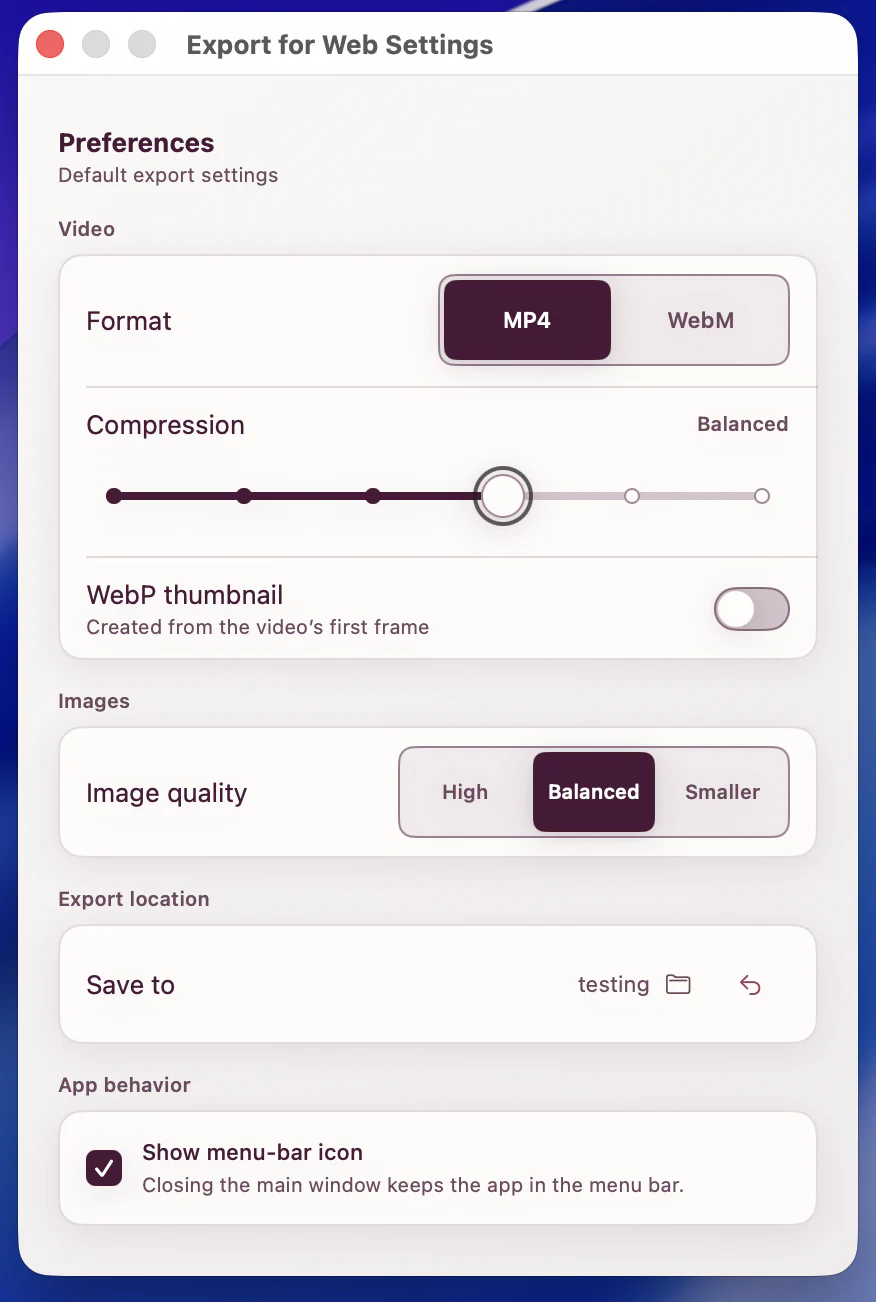
Convert video to compact WebM (VP9) or compatible MP4 (H.264, faststart). Add an optional WebP first-frame poster when the page needs one.
A free, private macOS app with no subscription or paid tier. Turn videos into web-ready WebM or MP4, still images into crisp WebP, and any video's first frame into a lightweight poster. Every conversion runs locally, so your files never leave your Mac.
[ WHAT IT DOES ]
Convert video to compact WebM (VP9) or compatible MP4 (H.264, faststart). Add an optional WebP first-frame poster when the page needs one.
Drop in JPEG, PNG, HEIC, TIFF, BMP, or WebP and get a lean WebP image with the quality you choose. Orientation and transparency are handled for you.
Every conversion feature is free. No subscription, no paid tier. Drop one file or a whole batch, and keep every video and image on your Mac from start to finish.
[ SEE IT WORK ]
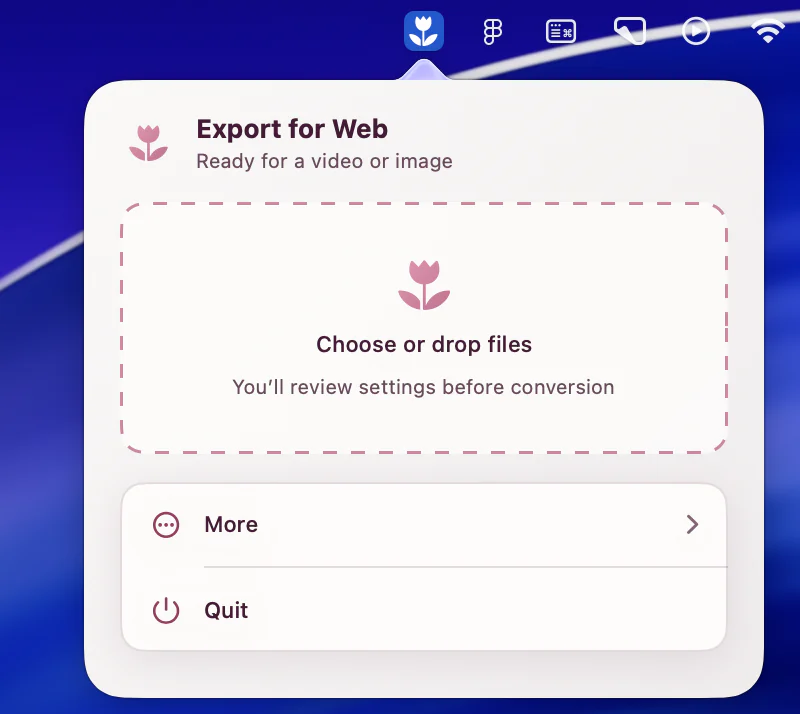
Drop in a video or image, choose the result you need, and let ExportForWeb handle the web-specific details locally on your Mac.
[ EXAMPLE EXPORT ]
[ PRIVATE BY DESIGN ]
ExportForWeb processes every video and image locally on your device. Your source media and finished exports are never uploaded to us or sent to a cloud conversion service, and the app does not require an account.
[ GOOD TO KNOW ]
The practical details: what goes in, what comes out, and what stays private on your Mac.
Yes. It is a free download on the Mac App Store, and every conversion feature is free to use, with no subscription or paid tier.
Videos can include MOV, MP4, M4V, MKV, WebM, AVI, MPEG, MXF, and common camera formats. Still images can include JPEG, PNG, HEIC, HEIF, TIFF, BMP, and WebP. Animated images are not supported yet.
Video exports are WebM with VP9 or MP4 with H.264 and faststart. Still images become WebP. A video can also produce an optional WebP poster from its first frame.
No. Conversion happens entirely on your Mac. Your source media and finished exports never leave your device: they are not uploaded to us or sent to a cloud conversion service. The app does not require an account.
No. ExportForWeb reads the source and writes new files to the destination folder you choose. The original video or image stays unchanged.
Yes. Add one file or a group of videos and images, choose the output preferences, and let the batch run locally into the same destination folder.
For a public website, WebM makes an efficient first source and MP4 makes a dependable fallback. Export the same source once for each format when you want to serve both in one video element.
ExportForWeb requires macOS 15.0 or later and runs on supported Apple silicon and Intel Macs.